€1 every 30 days or €9.99 every 365 days. Same available creator tools.
Concept illustration · Your content and product details are yours to create.
CREATE WITH INTENTIONSHARE SOMETHING USEFULNO PAID DISCOVERY PRIORITY
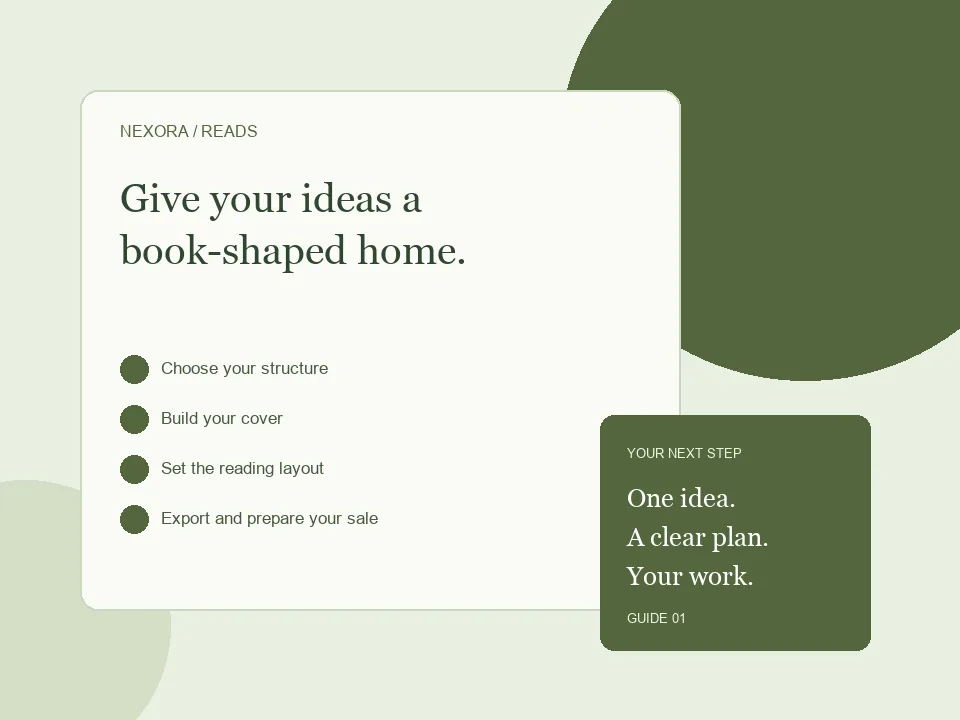
A WORKFLOW YOU CAN FOLLOW
From the first decision to the public link.
01
Choose your structure
Outline the chapters and select only the opening and closing sections that help the reader.
02
Build your cover
Upload a suitable image and check the A5 crop. Use artwork you own or may use commercially.
03
Set the reading layout
Paste your text, adjust typography and place images. Recheck pagination after changes.
04
Export and prepare your sale
Review the PDF, add an accurate product description and configure checkout.
What belongs in an A5 ebook?
A5 works well for a compact guide, a collection of short essays or a focused story. Begin with one reader and one outcome: a beginner’s guide to planning meals, for example, rather than an encyclopaedia of nutrition. Split the manuscript into chapters that have clear jobs. A useful chapter introduces an idea, explains it with a concrete example and gives the reader a next step. Formatting helps the reader follow the material; it cannot replace a complete, carefully edited manuscript.
A page plan you can use
For a meal-planning guide, try a cover, a short introduction, three chapters covering preparation, shopping and weekly planning, then a printable checklist and copyright page. In Ebook Studio, the workflow separates your cover, optional opening sections, main content, optional closing sections and copyright. Add only the sections your reader needs. Preview the result after changing font size or line spacing because both affect pagination. Leave enough breathing room around images and check the last line of each page before exporting.
Check the exported file, not only the editor
Open the finished PDF on a phone and a larger screen. Make sure headings remain readable, no illustration is cropped unintentionally and links take readers to the correct destination. If you plan to sell it, describe the actual PDF, page size and intended audience on the product page. Keep a copy of your source text so future revisions are easy. You can use NexoraReads to create the book or upload a PDF prepared elsewhere.
BEFORE YOU SHARE
A small check can save a bigger fix.
Use these checks to review your work. They are a starting point, not a promise of sales or search rankings.
✓Readable cover at thumbnail size
✓Consistent chapter headings
✓No clipped text or images
✓Correct copyright and image permissions
✓A tested exported PDF
GOOD QUESTIONS
Before you begin.
Is this an EPUB builder?
The current Ebook Studio produces PDF ebooks. It does not promise EPUB conversion or reflowable EPUB output.
Can I upload a finished PDF instead?
Yes. Use Upload ebook when you have already designed and exported your book.
Does the subscription include sales?
It gives access to the creator tools. Creating a useful book and promoting it are still your responsibility; sales are not guaranteed.
Create or upload your work, prepare an honest offer and share your public link. Creator landing pages require admin approval before publication.
Start creating ↗Compare monthly and annual billingPlans renew until cancelled. Monthly has a one-day introductory trial, subject to eligibility. Annual has no trial. Payment processing fees and any checkout taxes are separate.